Many Indian students opening an online store page see bold RGB‑lit machines next to slim silver notebooks and wonder: in the gaming laptop vs regular laptop debate, which one actually makes sense for my degree, my hostel life and my budget? This guide breaks down the trade‑offs with student workloads in mind, so you can choose a laptop that fits your real needs instead of just flashy marketing.
1. What Do We Mean by Gaming and Regular Laptops for Students?
In the Indian market, the line between “gaming” and “regular” laptops is not always perfectly clear, but for this article we will use practical working definitions.
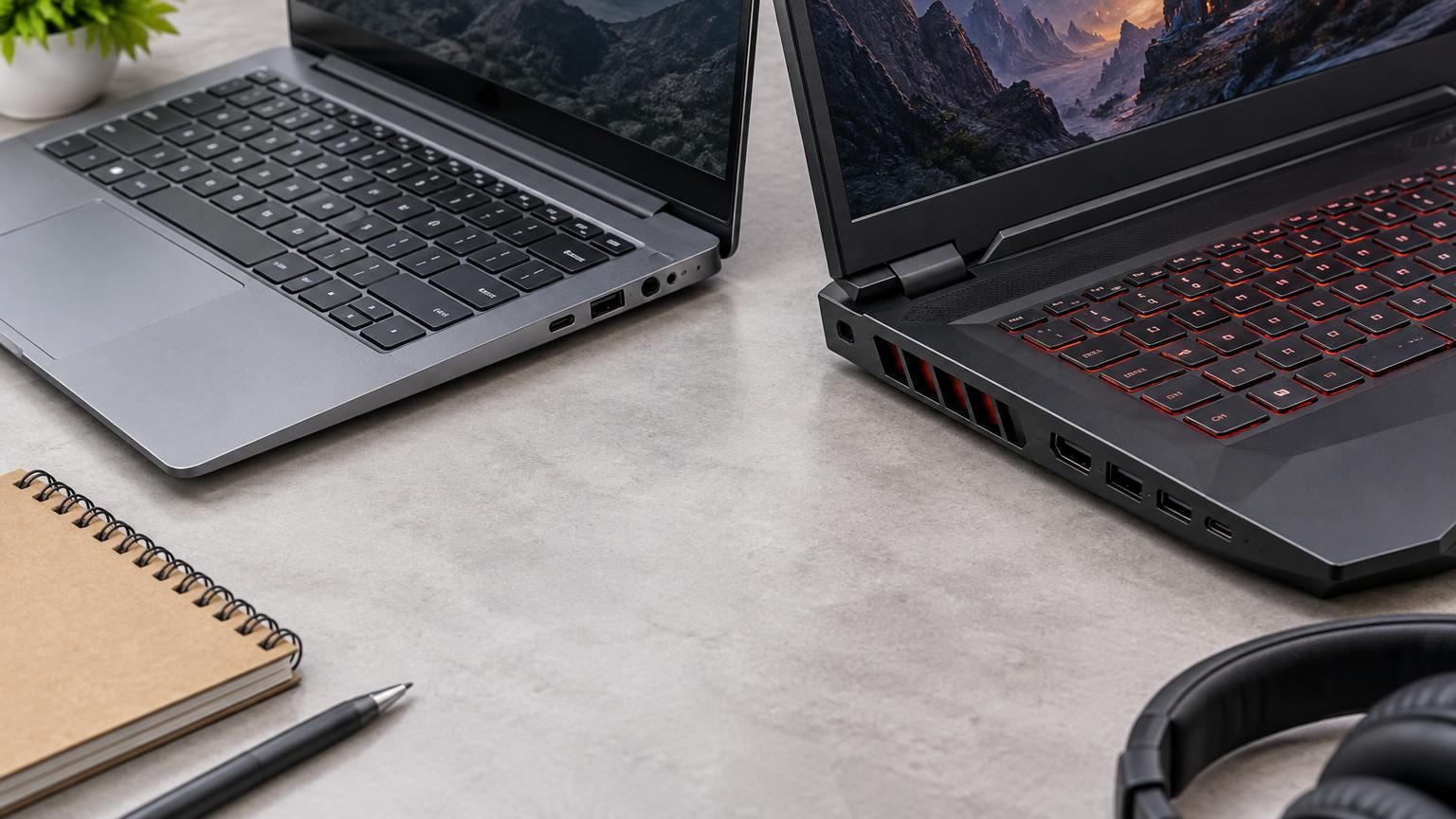
Gaming laptop (student context) usually means:
- A performance‑oriented processor (often with higher power limits).
- A dedicated (discrete) graphics chip like an NVIDIA GeForce or AMD Radeon, separate from the CPU.
- Thicker body with more vents and fans to cool CPU and GPU.
- Often a higher‑refresh‑rate display (for smoother gameplay).
- Heavier charger and higher power draw when gaming.
Regular / productivity laptop typically means:
- A power‑efficient processor designed for everyday tasks and good battery life.
- Only integrated graphics (the GPU is built into the CPU and shares system memory).
- Thinner, lighter chassis prioritising portability.
- Standard 60 Hz display, adequate for work and media consumption.
Microsoft’s GPU overview explains that integrated graphics share system memory and help laptops stay thinner and more power‑efficient, while discrete GPUs are larger, use more power and are meant for heavy tasks like intense gaming, video editing and design work. [4] That single difference in graphics hardware drives many of the other trade‑offs students feel day to day.
2. Key Hardware Differences: CPU, GPU, RAM and SSD
Processors: performance vs efficiency
On paper, both gaming and regular laptops may say “Intel Core i5/i7” or “AMD Ryzen 5/7”, but the specific variants differ:
- Gaming laptops often use higher‑wattage versions of these CPUs. They can maintain higher turbo speeds longer, which helps in games, 3D work and heavy compiling, at the cost of heat and battery life.
- Regular laptops use more efficiency‑focused versions. They still handle coding, browsing and office work comfortably, but they throttle power more aggressively to keep heat and battery under control.
For most students, any recent mid‑range CPU is fine; the bigger differentiator is actually the GPU and cooling design.
GPU: integrated vs dedicated
This is the heart of the gaming laptop vs regular laptop decision.
Integrated GPU (regular laptops)
- Built into the processor; no separate chip.
- Shares the system’s RAM instead of having its own video memory.
- Uses less power, helps keep laptops thin and light. [4]
- Handles Windows, HD/Full HD video, online classes and light photo/video editing well.
- Can play casual or older games at low settings, but struggles with modern AAA titles.
Dedicated (discrete) GPU (gaming laptops)
- Separate graphics chip with its own video memory.
- Designed for heavy processing tasks like demanding games, intense photo/video editing and design work. [4]
- Uses more power and generates more heat, so systems need larger coolers and power adapters. [4][9]
- Delivers much higher performance in modern games, 3D rendering and GPU‑accelerated tasks.
Notebookcheck’s guide notes that for those who want to play the latest games, do 3D modelling or edit 4K video, a dedicated GPU will significantly increase performance. [9]
Many laptops with a dedicated GPU also keep the integrated GPU active and switch between them depending on the application. Dell describes this “switchable graphics” behaviour, where the discrete GPU is used for demanding apps while the integrated GPU handles light tasks to save power. [7]
RAM (memory)
RAM directly affects how many things you can do smoothly at once.
- 8 GB is still seen on many budget laptops. It is usable for online classes, basic coding and office work, but you may feel slowdowns with many Chrome/Edge tabs, heavy IDEs, or when running Android emulators.
- 16 GB is a more comfortable baseline in 2026 for CS/IT students, engineering and content creation. It helps keep IDEs, VMs and editing apps responsive.
- Gaming laptops more often ship with 16 GB and give easier upgrade options (two RAM slots).
- Thin‑and‑light regular laptops may have some RAM soldered, limiting upgrades; check the spec sheet carefully.
Storage (SSD)
Almost all modern student laptops use SSDs, which are faster and more shock‑resistant than hard drives.
- 256 GB SSD is the bare minimum; after Windows and apps, you may constantly juggle space.
- 512 GB SSD is a good baseline for most students.
- 1 TB SSD is useful if you store lots of games, raw video footage or large design projects.
- Gaming models often provide an additional empty M.2 slot, making future SSD upgrades easier, while some slim regular laptops offer only one slot.
3. Display, Build, Weight and Portability on an Indian Campus
Screen characteristics
Key aspects you will notice on campus:
- Size: 14–15.6 inches is the sweet spot. 14‑inch laptops are easier to carry; 15.6‑inch gives more space for coding and timelines.
- Refresh rate: Regular laptops typically use 60 Hz displays, which feel perfectly fine for classes and videos. Gaming laptops often advertise 120 Hz or 144 Hz screens for smoother visuals in fast games.
- Colour and brightness: For design and media courses, you want decent colour accuracy and brightness; this can be found on both laptop types, so check individual panel specs rather than assuming all gaming laptops are better.
Unless you play competitive shooters where every frame matters, a good 60 Hz panel is usually enough for students.
Weight and thickness
On an Indian campus, you might:
- Walk or take a bus/metro with your backpack daily.
- Share limited hostel desk space with roommates.
- Work in libraries or labs where power outlets are limited.
In this scenario:
- Regular laptops often weigh around 1.3–1.7 kg in the 14–15.6 inch range and are relatively slim. This makes them easier to carry the whole day.
- Gaming laptops commonly cross 2 kg and are thicker. Add a large charger and your backpack becomes noticeably heavier.
If you expect a lot of travel between home, hostel and college, that 0.5–0.8 kg difference can matter more than you think.
4. Cooling, Fan Noise and Battery Life in Everyday Student Use
Cooling and fan noise
Dedicated GPUs and higher‑power CPUs generate more heat. Notebookcheck points out that laptops with powerful GPUs require more aggressive cooling and can get louder under load. [9]
- Gaming laptops use multiple heat pipes, bigger fans and more vents. Under gaming or rendering loads, fans can become clearly audible and the keyboard area may feel warm.
- Regular laptops run cooler and quieter for typical student tasks because integrated graphics consume less power. [4]
If you plan to game in a quiet hostel room late at night, consider how much fan noise you and your roommates can tolerate.
Battery life
The story is similar for batteries:
- Regular laptops are tuned for efficiency. With integrated graphics and power‑saving profiles, they usually last longer on mixed workloads like browsing, document editing and video lectures.
- Gaming laptops may include larger‑capacity batteries, but when the discrete GPU is active, power draw spikes and runtime collapses. Dell notes that forcing the discrete GPU to run all the time reduces battery life and increases fan noise and heat. [7]
- Modern gaming laptops use hybrid/switchable graphics so they can turn off or idle the discrete GPU for light tasks and extend battery life. [4][7]
For a typical full day of classes away from charging points, a regular laptop is more reliable. Gaming laptops often need a midday top‑up or careful power management.
5. How Each Type Handles Real Student Workloads
Let’s map common Indian student scenarios to hardware needs.
Coding (CS/IT, engineering), online classes and office work
Most coding tasks, compilers and IDEs are CPU‑ and memory‑bound, not GPU‑bound. Browsers, PDF viewers, Zoom/Teams and office suites rely mainly on the CPU and integrated graphics.
What you realistically need:
- CPU: Any recent mid‑range CPU is fine.
- GPU: Integrated graphics are sufficient. [4]
- RAM: Aim for 16 GB if budget permits; 8 GB is the minimum.
- Storage: 512 GB SSD recommended for tools, VMs and datasets.
A regular thin‑and‑light laptop is usually the better value here, giving you less weight and more battery for the same price.
Basic photo editing, light video editing and casual content creation
Microsoft’s guidance states integrated GPUs can handle some gaming and light video editing or working with photos. [4]
If you are doing:
- Instagram/Youtube videos at 1080p with simple cuts and filters,
- Light Photoshop/GIMP work,
- Canva/Figma for social media and college projects,
then a regular laptop with strong CPU and 16 GB RAM is adequate. A discrete GPU will speed up exports and certain effects, but the difference may not justify the extra cost and weight if your projects are small.
Design, architecture, 3D and heavier video work
Courses in animation, architecture, 3D design or advanced video editing (4K timelines, complex effects) benefit much more from a gaming‑class GPU.
Notebookcheck notes that for 3D modelling, 4K video editing and modern games, a dedicated GPU makes a significant performance difference. [9] For these use cases:
- GPU: Prefer a mid‑range dedicated GPU.
- RAM: 16 GB is a minimum; 32 GB if budgets allow.
- Storage: 1 TB SSD is helpful for project files and caches.
Here, a gaming or “creator” laptop is easier to justify even if you rarely play games.
Engineering software (simulation, CAD, data)
Many engineering tools are still CPU‑bound, but some simulations and CAD packages can use the GPU.
Guides from GPU vendors indicate integrated graphics are fine for non‑demanding workloads, while heavier CAD/3D work benefits from stronger GPUs. [9][10]
If your course includes:
- Occasional CAD modelling with modest complexity,
- MATLAB, Python data analysis or numerical simulations without advanced 3D,
a regular laptop with a good CPU and 16 GB RAM is often enough. If you are sure you will tackle complex 3D models, finite‑element simulations or GPU‑accelerated rendering, a gaming laptop becomes more sensible.
Gaming (obviously)
If modern games are a big priority (AAA titles, competitive multiplayer beyond the lowest settings), a dedicated GPU is realistically required.
Notebookcheck stresses that integrated graphics are not intended to provide a great experience for demanding titles, while dedicated GPUs substantially improve frame rates. [9] If you only play light esports titles (older Counter‑Strike, simple MOBAs) casually, some integrated GPUs can cope at low settings, but you must keep expectations modest.
6. When a Gaming Laptop Is Actually Worth It for Students in India
A gaming laptop is worth serious consideration if several of these are true for you:
- You study animation, video production, architecture, 3D design or game development and expect to run heavy creative software regularly.
- You genuinely care about playing modern games with decent graphics and frame rates in your free time.
- You are okay carrying extra weight and dealing with shorter unplugged runtimes.
- You have the budget to spend more upfront and possibly on higher electricity use when gaming for long hours. [4][9]
- You prefer a machine that can be upgraded with more RAM/SSD later (common in many gaming chassis).
If most of these do not match you, you are probably paying for performance you will not fully use.
7. When a Regular Productivity Laptop Is the Smarter Buy
A regular laptop often gives better overall value for Indian students when your priority list looks like this:
- Longer battery life during full days of classes.
- Lighter backpack while commuting or walking around campus.
- Comfortable performance for coding, online classes, note‑taking and standard office tasks.
- Occasional light gaming and basic content creation only.
- Tighter budget where every rupee matters more than maxed‑out graphics.
Notebookcheck explicitly cautions buyers not to overpay for graphics performance beyond their needs. [9] For most commerce, arts, law and even many CS students, a well‑specced regular laptop (with 16 GB RAM and a 512 GB SSD) is a more balanced and affordable choice.
8. Side‑by‑Side Comparison: Gaming vs Regular Laptops for Students
| Aspect | Gaming laptop (with dedicated GPU) | Regular laptop (integrated GPU only) |
|---|---|---|
| CPU tuning | Higher power limits for sustained performance; more heat. | Optimised for efficiency; enough for typical student work. |
| Graphics | Dedicated GPU with its own memory; best for modern games, 3D, 4K video edits. [4][9] | Integrated GPU sharing system RAM; fine for UI, video, light gaming and editing. [4] |
| Weight & thickness | Generally heavier and bulkier due to cooling and power hardware. | Thinner and lighter; easier to carry all day. |
| Battery life | Shorter when GPU is active; acceptable during light use if hybrid graphics works well. [7] | Typically longer runtimes for lectures, browsing and notes. |
| Fan noise & heat | Louder and warmer under load because of GPU and high‑power CPU. [9] | Usually cooler and quieter for daily tasks. [4] |
| Best suited for | Serious gaming, 3D/modelling, heavy video editing, demanding design courses. | Coding, online classes, office work, light editing, long commutes. |
| Typical price positioning | Higher, because the discrete GPU adds cost and demands better cooling. [9] | Lower for comparable CPU/RAM; you are not paying for gaming‑class graphics. |
9. Practical Decision Guide: Match Your Laptop to Your Course and Lifestyle
Use this quick checklist to decide which side you fall on.
Step 1: Identify your primary workloads
- Mostly theory courses, coding, presentations, research, online classes?
Prioritise a regular laptop with good CPU, 16 GB RAM and strong battery life. - Regular video editing (especially 4K), 3D modelling, CAD or graphics‑heavy tools?
Lean towards a gaming or creator laptop with a mid‑range dedicated GPU. [9] - Gaming is a core hobby and you care about high settings and-frame rates?
A gaming laptop is justified, but set a realistic budget and don’t overspend on a GPU level you will never fully use. [9]
Step 2: Think about where you will use it
- Long daily travel + limited charging points → Favour lighter, efficient regular laptops.
- Mostly hostel/PG with easy access to power → Weight and battery matter less; gaming laptops become more practical.
Step 3: Plan for 3–4 years, not just today
Ask yourself:
- Can you upgrade RAM or SSD later if projects or games grow in size?
- Will your course in 3rd/4th year introduce heavier tools (e.g., CAD, simulations, serious editing)?
- Is it smarter to buy a balanced regular laptop now and maybe a desktop or console later for gaming?
In many Indian situations, a solid mid‑range regular laptop plus occasional access to lab machines, college workstations or a shared gaming PC/console offers better value than forcing everything into one heavy gaming laptop.
Frequently Asked Questions
Do I need a gaming laptop for computer science?
Usually no. CS work is dominated by coding, algorithms and theory. A regular laptop with a capable CPU, 16 GB RAM and an SSD is enough for IDEs, compilers and Docker containers. A gaming laptop only becomes necessary if you also do heavy GPU‑based projects, advanced 3D, or serious gaming.
Can integrated graphics handle online classes and light editing?
Yes. Microsoft notes that integrated GPUs are suitable for typical Windows graphics, some gaming, light video editing and working with photos. [4] For online lectures, note‑taking and minor content creation, an efficient regular laptop is usually adequate.
Will a gaming laptop’s higher power use make my electricity bill huge?
A gaming laptop does consume more power while gaming or rendering than a regular laptop performing light tasks, because the discrete GPU and high‑power CPU draw more energy. [4][9] However, even with daily gaming, the absolute cost is usually small compared to rent, fees or mobile bills. It is a factor, but not typically the largest part of a student’s monthly expenses.
What if I want portability and gaming performance?
Look for balanced models marketed as “creator” or slim gaming laptops, with mid‑range GPUs and moderate weight. Be ready to compromise: they will still be heavier and have shorter battery life than pure ultrabooks, and their gaming performance may be lower than bulkier machines with higher‑wattage GPUs.
Disclaimer
This article provides general educational guidance for students comparing gaming and regular laptops in India. Hardware specifications, prices, battery life and software requirements vary widely by model and change over time. Always check the current official specifications and, where possible, independent reviews for any specific laptop before purchasing. The information here is not a guarantee of performance for any individual product or brand.
Sources and Further Reading
Primary and supporting references. Verify time-sensitive information at the original publisher.
- Intel Core Processors — www.intel.com
- discrete-vs-integrated-laptop-gpu-which-one-to-choose|ASUS USA — www.asus.com
- GetDocument Aspx — h20195.www2.hp.com
- All about graphics processing units (GPUs) | Microsoft Support — support.microsoft.com
- IdeaPad Slim 3 15IAN8 Spec — psref.lenovo.com
- 8L9N8EA — pcb.inc.hp.com
- Switchable Graphics on Dell Laptops: Full Setup Guide | Dell US — www.dell.com
- IdeaPad Slim 3 14 15 16 8 AMD Datasheet EN — psref.lenovo.com
- Guide: Choosing Between Integrated or Dedicated Graphics – Notebookcheck Tech — www.notebookcheck.net
- Integrated vs Dedicated GPU on a Windows Laptop — www.owl3d.com
- Graphics For CAD 101 Intel® Arc™ Pro A Series Graphics — cdrdv2-public.intel.com
- Electricity Prices — www.globalpetrolprices.com
- Echap09 — www.indiabudget.gov.in
- 315730 — www.croma.com
- Processor Numbers — www.intel.com
- Pmwiki — shinkim.net
- Intels Core Ultra Series 3 Cpu Names Are Different Now Heres What They Mean — www.pcworld.com
- Hp Victus 15 Gaming — dlcomputersandelectronics.com
- List Of Intel Processors — en.wikipedia.org